

UKPSC RO / ARO · Module 45 · standard depth · 15 min
Computers and the internet
What UKPSC RO / ARO asks from this chapter
Syllabus lines this chapter covers:
- Prelims: General Studies (100) and General Aptitude Test (50) · General Science and knowledge of computer operation, as expected of an educated person
- Mains Paper 1: General Studies (objective, 200 questions) · General science and technology: discoveries, IT, biotechnology, solar and space technology, AI, health technology, environmental awareness, cyber crime
- Mains Paper 1: General Studies (objective, 200 questions) · Basic knowledge of computers, internet and communication and their use in development
UKPSC RO / ARO has asked 15 questions from this chapter (2023); 15 from its whole module.
Cut to standard depth for UKPSC RO / ARO. 8 deeper paragraphs are in the full chapter.
Start from zero: what does a computer actually do?
Think of a cook in a kitchen. The cook takes in raw vegetables, follows a recipe, keeps things on a table while working, stores the rest in a cupboard and finally serves a dish. A computer works in the same four steps: it takes input, processes it, stores it and gives output.
The keyboard, mouse, microphone and camera are input devices, like the vegetables arriving in the kitchen. The processor (CPU) is the cook, who follows the program, which is the recipe. The screen, speaker and printer are output devices, like the plate on which the dish is served.
What makes a computer special is not that it is clever. It is that it follows instructions exactly, millions of times every second, without getting tired. Everything else, from a phone call to a UPI payment, is built on this simple idea.
This chapter starts with how a computer works inside, then moves to how computers were joined together to make the internet. It ends with how far India has come in connecting its people and what that means for the country.
Why computers spread, and when India took them up
Early computers were giant machines that filled whole rooms. During the Second World War, a calculating machine could weigh about five tonnes. They were costly, slow by today's standards and used mainly for war, science and big offices.
Why did they shrink and spread? The answer is a chain of inventions, each making the next possible.
- 1947: the transistor was invented. It replaced bulky parts and made smaller, more versatile computers possible.
- 1970s: chip technology and magnetic discs turned room-sized machines into personal computers that fit on a desk.
- After that: the microprocessor put a whole processor on one programmable chip, which is why a phone today is a computer.
When did India take them up? India saw early that computers could help run a large country.
- 1970: the government set up the Department of Electronics.
- 1977: the National Informatics Centre (NIC) was set up. This was India's first major step towards e-governance, meaning the use of computers to run government work.
- 1987: NIC launched NICNET, a satellite-based network that linked government offices across the country.
- 2006: the National e-Governance Plan (NeGP) was approved on 18 May 2006 to deliver government services to citizens electronically.
- 2012: a National Policy on Information Technology was framed, to use IT for education, health, skills and financial inclusion.
Where did it start? At first, government computers were used mostly for typing and accounts. Over time they moved from offices in Delhi to every district, and then into the hands of citizens through phones.
Inside a computer: bits, memory and software
Now that we know where computers came from, let us open one up. Inside, a computer understands only two states: on and off. We write them as 1 and 0, and each one is called a bit, short for binary digit.
How can 0 and 1 make words and pictures? Put eight bits together and you get a byte. A byte has 256 possible patterns, enough to stand for every letter, number and symbol on a keyboard. A photo is just millions of bytes that tell the screen what colour each tiny dot should be.
The main parts and their jobs:
- CPU (processor): carries out the instructions. It is the cook in our kitchen.
- RAM (main memory): a fast, temporary work table. It is cleared when the power goes off.
- Storage (hard disk or SSD): the cupboard. It keeps files even when the power is off.
- Software: the instructions. The operating system (such as Windows, Android or Linux) runs the machine, and apps do particular jobs.
Supercomputers: many processors working together. Some problems, such as weather forecasting or studying the universe, are too big for one processor. A supercomputer joins thousands of processors to work on one problem at the same time. Its speed is measured in flops, the number of calculations per second, and a petaflop is a million billion of them.
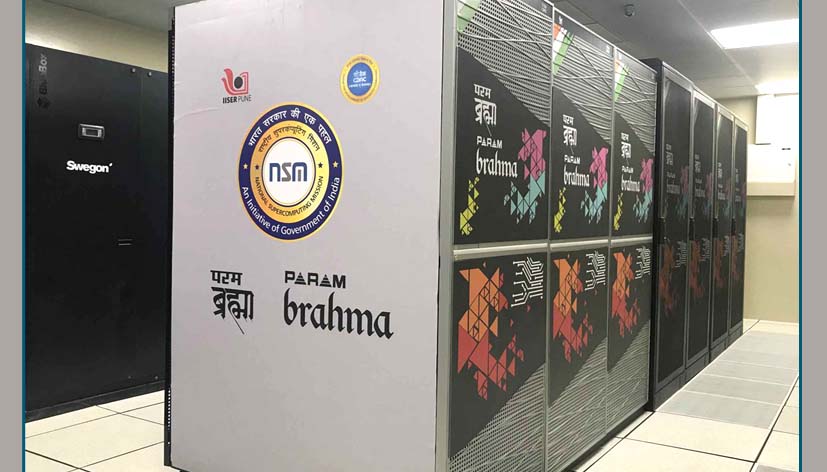
India runs a National Supercomputing Mission (NSM), launched in April 2015 with ₹4,500 crore. It is carried out by MeitY and DST through C-DAC, Pune and IISc, Bengaluru, and by December 2025 it had set up 37 supercomputers with a total of 40 petaflops. On 26 September 2024, three PARAM Rudra supercomputers, built on indigenous Rudra servers, were dedicated at Pune, Delhi and Kolkata.
How computers were joined: the birth of the internet
A single computer is useful, but computers that can talk to each other are far more powerful. The internet is simply a network of networks, linking computers all over the world. Its story began with a defence research problem in the United States.
Why it was built. In the 1960s, US defence researchers worried that a network built on fixed lines could be cut by the failure of a single point. They wanted a network that could keep working even if some parts broke down. This led to ARPANET, a research network funded by the US defence research agency.
When it started. The first computer-to-computer message on ARPANET went from UCLA to the Stanford Research Institute on 29 October 1969. The network began with four nodes, all at universities and research centres in the US.
The big idea: packet switching. Instead of keeping one line open, ARPANET broke data into small packets. Each packet carried an address and could take any free path, so packets could route around failed nodes and be put back together at the other end. Think of a long letter cut into numbered postcards and posted by different routes.
The common language: TCP/IP. Different networks needed a shared set of rules to talk to each other. These rules, TCP/IP, were first implemented at Stanford in 1975. By January 1983, so many networks had joined using them that ARPANET had grown into the internet.
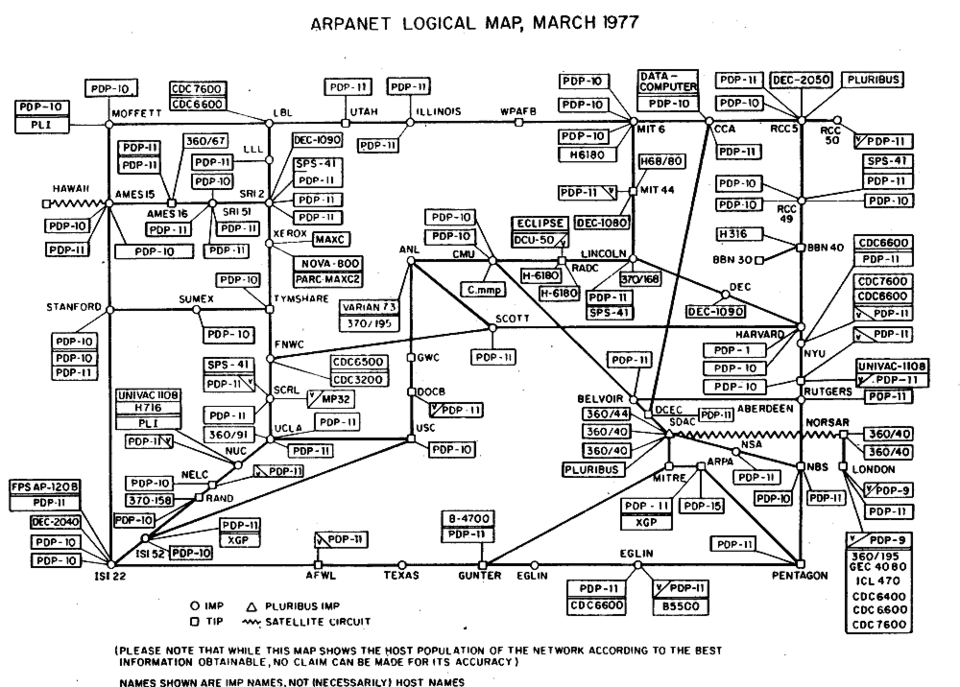
How an address works. Every device online gets an IP address, a number like a house address. Because numbers are hard to remember, the Domain Name System (DNS) works like a phone book that turns a name such as a website address into the right number.
The internet and the World Wide Web are not the same
Many people use the words internet and Web as if they meant the same thing. They do not, and UPSC likes to test this difference. The internet is the network itself, the roads, while the World Wide Web is one service that travels on it, like one kind of traffic.
Who made the Web, and why? The Web was invented by British scientist Tim Berners-Lee in 1989, while he was working at CERN, the European particle physics laboratory near Geneva. Scientists in universities around the world needed an easy way to share information, so he linked documents to each other with clickable links.
The first steps. The first website in the world ran on Berners-Lee's NeXT computer at CERN and explained the Web project itself. The first browser, called WorldWideWeb, was written in 1990.
The decision that changed everything. On 30 April 1993, CERN put the Web software in the public domain, free for anyone to use. Because nobody had to pay a fee, websites spread very quickly, and the internet became easy to use for ordinary people.
Other services on the same roads. Email, video calls, online games, file sharing and UPI payments also run on the internet without being part of the Web. So the internet is much bigger than the Web.
How far India has come in getting online
Knowing how the internet works is only useful if people can reach it. For a country as large as India, the real challenge was getting connections to villages, not just cities. The numbers show how quickly this has changed.
Connections. Internet connections in India rose from 25.15 crore in March 2014 to 100.29 crore by 2025. At the end of March 2026, India had 106.58 crore broadband subscribers, and 85.5% of households owned at least one smartphone.
Reaching villages: BharatNet. Laying cables to every village is costly and slow, so the government took up BharatNet to bring optical fibre to gram panchayats. As of January 2026, about 2.15 lakh of the more than 2.22 lakh targeted gram panchayats were connected, with close to 7 lakh km of optical fibre laid.
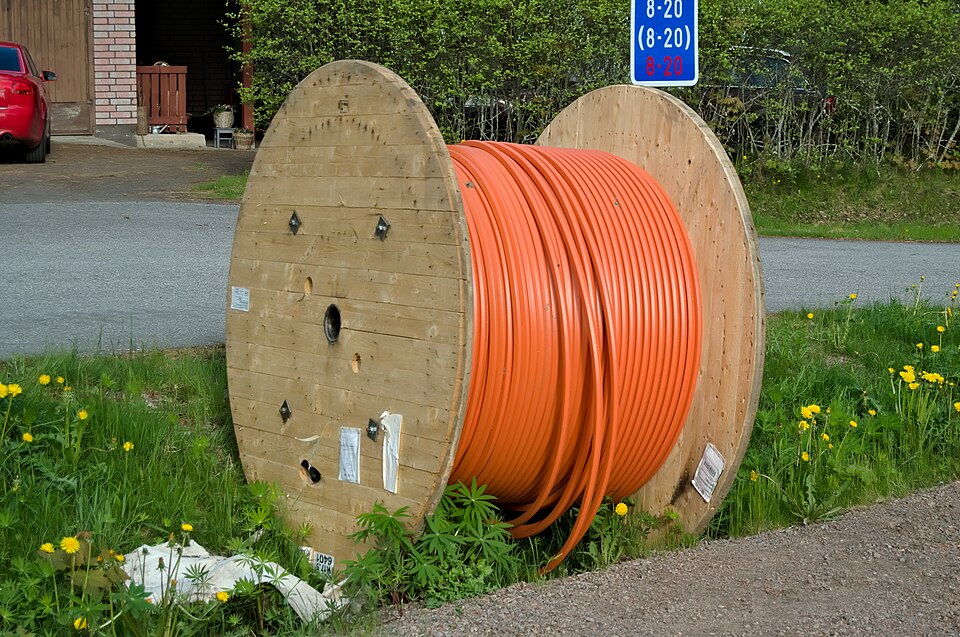
Why fibre matters. Optical fibre carries data as pulses of light through thin glass strands. It can carry far more data than copper wires and is less affected by electrical noise, which is why it forms the backbone of fast internet.
The smartphone shift. For most Indians, the first computer they ever used was a phone, not a desktop. This is why services such as UPI, DigiLocker and online classes were designed to work on a mobile first. You can read how mobile networks evolved in mobile generations, 5G and 6G.
What computers and the internet change for India
We have seen how the technology works and how widely it has spread. UPSC will also ask so what? Here are the main changes, both good and worrying.
1. Better governance. From NIC in 1977 to NeGP in 2006, computers have made government records faster, more open and harder to tamper with. Services that once needed many office visits can now be used from a phone.
2. New jobs and businesses. Software, online shops, digital payments and remote work have created jobs that did not exist a generation ago. A small seller in a village can now reach buyers across the country.
3. The digital divide. Not everyone is online equally. Rural areas, older people, women in many households and people who cannot read English still face barriers, so the benefits do not reach everyone at the same speed.
4. New risks. More people online means more fraud, fake news and theft of personal data. That is why cyber security and data protection have become as important as connectivity itself.
Previous years' questions
This section shows the real past questions on this chapter for the exam you have chosen. Each question is copied word for word from the official paper, with the year and paper, so that you can see how the topic is actually asked.
Questions are being collected from the official UPSC and BPSC papers. They will appear here once each one is checked against the original paper.
Quick revision
- A computer takes input, processes it, stores it and gives output. Inside, it works with bits (0 and 1), and 8 bits make a byte.
- The transistor (1947), then chips and personal computers (1970s), and then the microprocessor made computers small enough for every desk and pocket.
- India set up the Department of Electronics (1970), NIC (1977) and NICNET (1987), and approved NeGP on 18 May 2006.
- ARPANET sent its first message on 29 Oct 1969, used packet switching, adopted TCP/IP (first implemented in 1975) and had become the internet by Jan 1983.
- Tim Berners-Lee invented the Web at CERN in 1989, and CERN made it free on 30 Apr 1993.
- India's internet connections rose from 25.15 crore (2014) to 100.29 crore (2025). BharatNet had connected about 2.15 lakh gram panchayats by Jan 2026, and the NSM had set up 37 supercomputers (40 PF) by Dec 2025.
UKPSC RO / ARO questions from this chapter
OMR stands for
- (a) Optical Mark Reader
- (b) Operating Mark Reader
- (c) Operating Menu Reader
- (d) None of these
Show answer
(a) Optical Mark Reader · our answer; official key awaited
Process of finding bug in a program is called –
- (a) Designing
- (b) Coding
- (c) Debugging
- (d) Bugging
Show answer
(c) Debugging · our answer; official key awaited
There are _______ number of bits in IPv4 address.
- (a) 32
- (b) 128
- (c) 256
- (d) None of these
Show answer
(a) 32 · our answer; official key awaited
In computer one KB equals to –
- (a) 1000 bytes
- (b) 1024 bytes
- (c) 1025 bytes
- (d) 1048 bytes
Show answer
(b) 1024 bytes · our answer; official key awaited
A media presentation over Internet is :
- (a) Offline presentation
- (b) Webcasting
- (c) Video conference
- (d) Live television broadcast
Show answer
(b) Webcasting · our answer; official key awaited
Which is the fastest memory device in computer system ?
- (a) Floppy
- (b) Hard Disk
- (c) Cache
- (d) CD-ROM
Show answer
(c) Cache · our answer; official key awaited
E-Mail stands for
- (a) Electronic Mail
- (b) Encrypted Mail
- (c) Exchange Mail
- (d) None of the above
Show answer
(a) Electronic Mail · our answer; official key awaited
What is base of Hexadecimal Number System ?
- (a) 8
- (b) 16
- (c) 2
- (d) 10
Show answer
(b) 16 · our answer; official key awaited
A typical modern computer uses
- (a) Valves
- (b) VLSI chips
- (c) Vacuum tubes
- (d) All of the above
Show answer
(b) VLSI chips · our answer; official key awaited
A software that converts an entire program into machine language is called
- (a) Interpreter
- (b) Simulator
- (c) Compiler
- (d) Commander
Show answer
(c) Compiler · our answer; official key awaited
A program that controls a computer’s basic resources is called
- (a) Hard drive
- (b) Motherboard
- (c) Operating System
- (d) CPU
Show answer
(c) Operating System · our answer; official key awaited
Which of the following is not a function of Network layer in OSI model ?
- (a) Congestion control
- (b) Routing
- (c) Error control
- (d) IP Addressing
Show answer
(c) Error control · our answer; official key awaited
Internet Explorer and Google Chrome are examples of :
- (a) Search Engine
- (b) Internet Browser
- (c) Firewall
- (d) All of the above
Show answer
(b) Internet Browser · our answer; official key awaited
Which of the following is a valid IP address ?
- (a) 32.156.263.49
- (b) 63.1.49.251
- (c) 32.32.512.73
- (d) 31.32.282.64
Show answer
(b) 63.1.49.251 · our answer; official key awaited
The valid format/extension of MS-Word file is :
- (a) .word
- (b) .png
- (c) .jpeg
- (d) .docx
Show answer
(d) .docx · our answer; official key awaited